
LeapDate is live: a faster date picker for ServiceNow

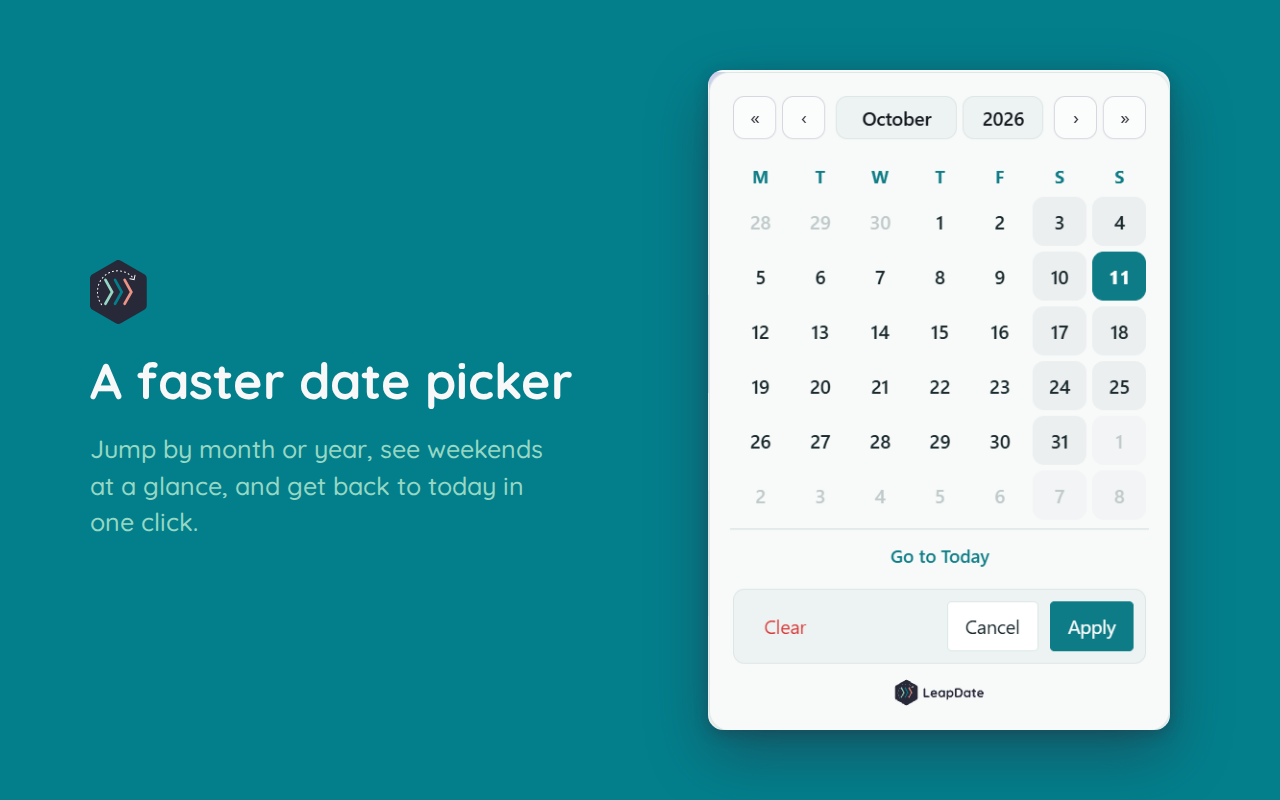
If you've ever clicked the next or previous month arrow dozens (or hundreds) of times to select a date, this one's for you.
I've released LeapDate, a free Chrome extension that replaces ServiceNow's date and date-time pickers with a faster, cleaner calendar. It's now live on the Chrome Web Store.
What it does
Jump by month or year in one click, or go straight back to today
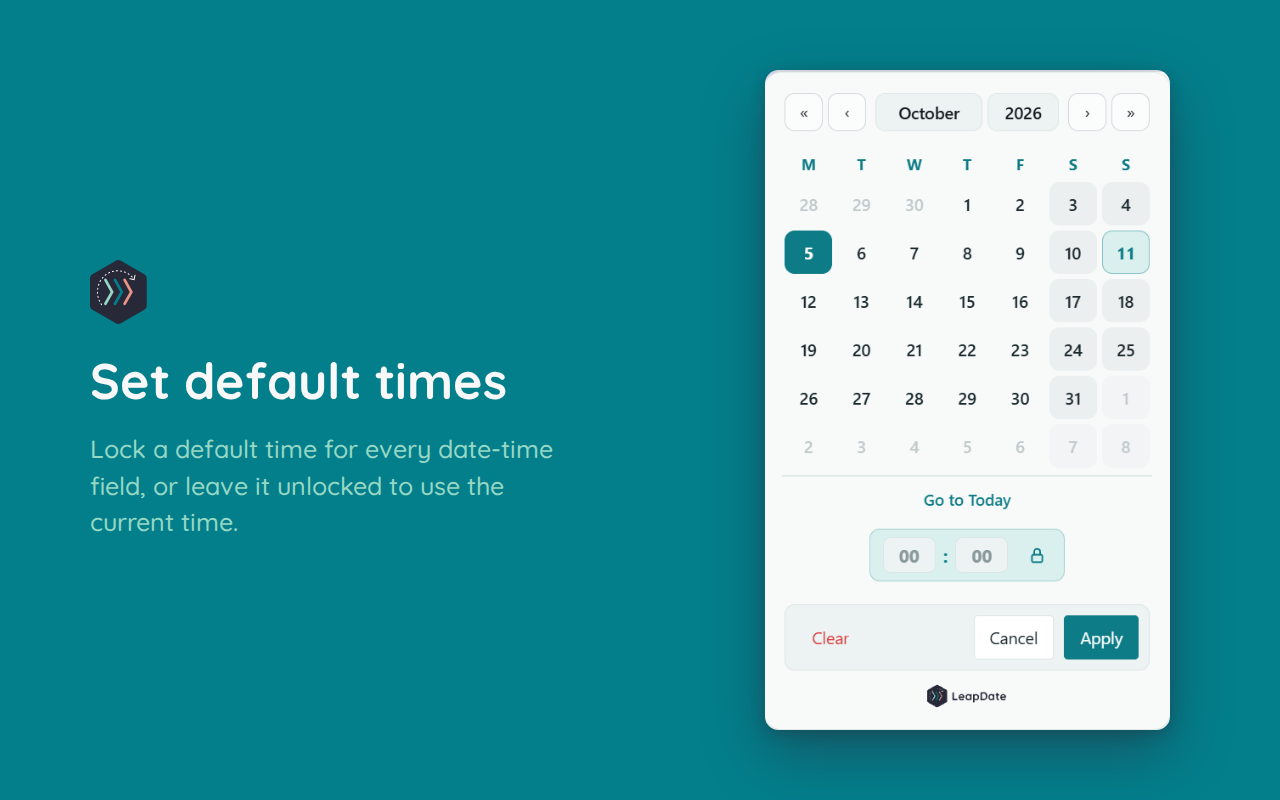
Default times for date-time fields. Set one (like 00:00), or leave it unlocked to use the current time
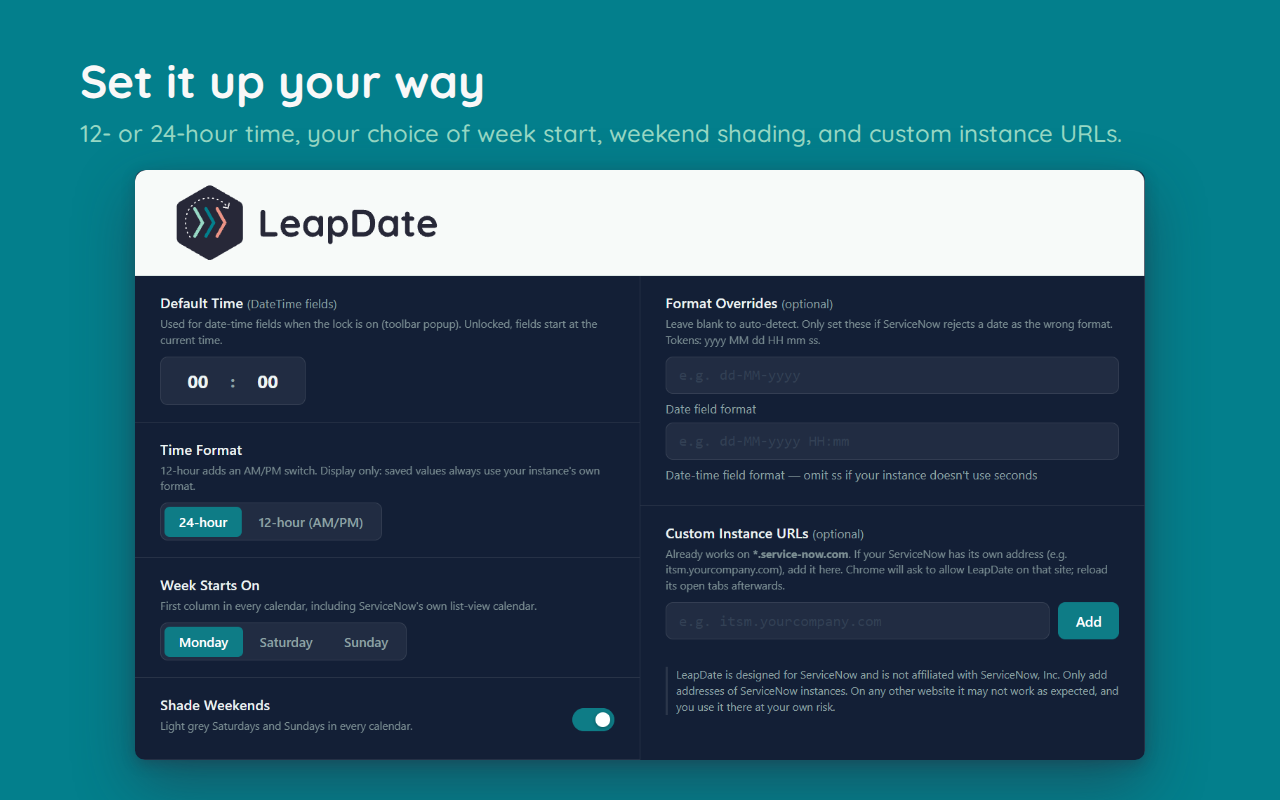
Shade weekends and choose whether your week starts on Monday, Saturday or Sunday
24-hour or 12-hour display. Saved values always use your instance's own format, so nothing breaks
Works in list views too, including:
Clear values in list view (i.e. return to ‘null’)
Bulk editing
Also, and I’m a little biased, but it is prettier too!
Rapid travel to dates and clearing existing values in list view (not to mention in bulk) is worth it alone!

Getting started
It works automatically on *.service-now.com. If your organisation uses its own address, add it on the settings page. Date formats are detected for you, with optional overrides if your instance needs them. Quick controls live in the toolbar popup and everything else is on the settings page.
👉 Get LeapDate on the Chrome Web Store
Cost
LeapDate is free. If it saves you time, there's a tip link on Ko-fi to buy me a coffee, but there's no pressure.
Privacy
It doesn't collect or use your data. The full policy is on this site - see the privacy policy.
LeapDate is designed for ServiceNow and isn't affiliated with ServiceNow, Inc.