
 Image 1 of 2
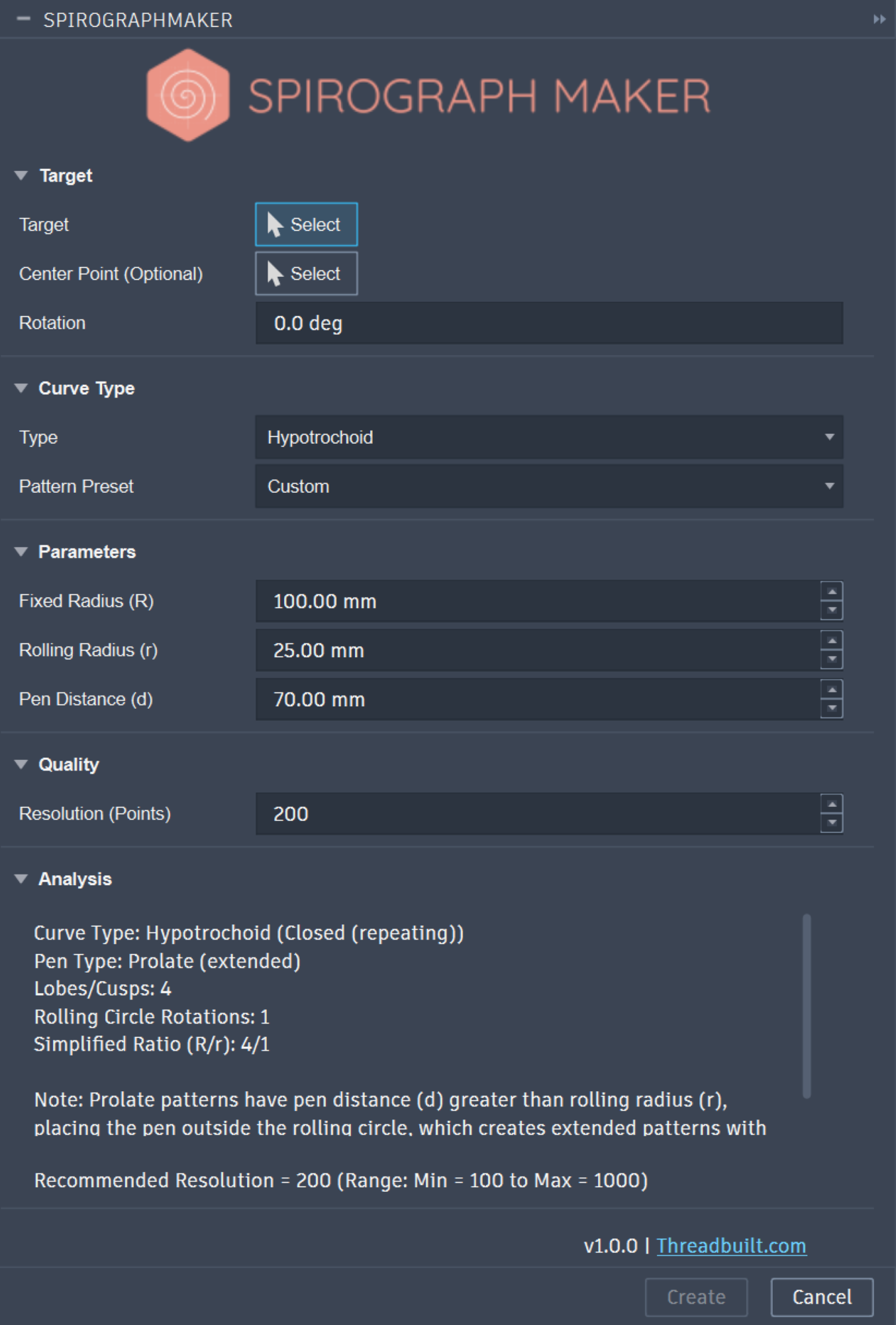 Image 2 of 2
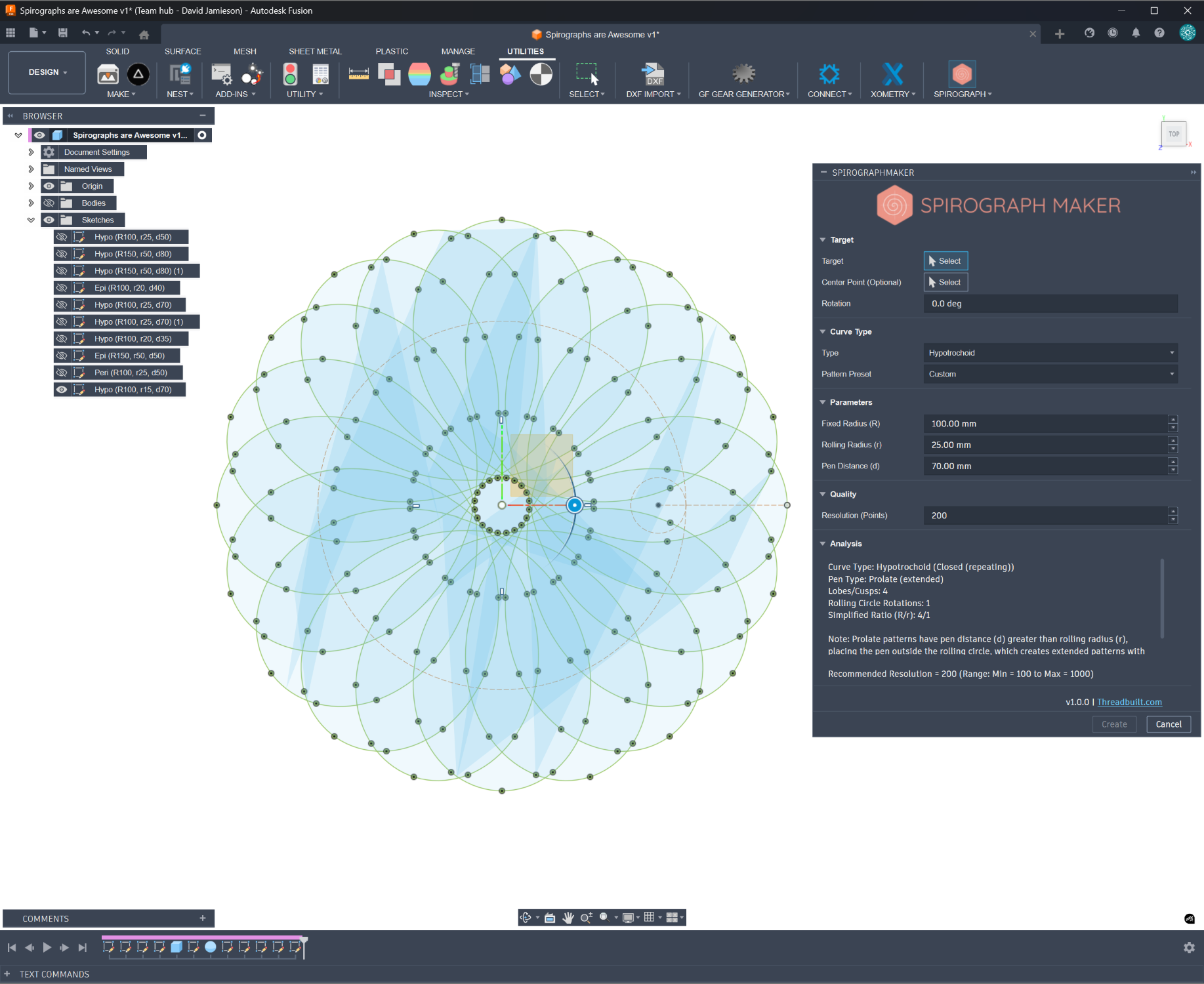
Manually sketching hypotrochoids and epitrochoids in Autodesk® Fusion 360® is time-consuming and difficult to constrain. Spirograph Maker automates this process, allowing you to generate beautiful, intricate geometric patterns with just a few clicks. Whether you are designing jewelry, creating CNC engravings, or adding decorative flair to a 3D model, this tool turns math into art instantly.
Key Features:
Flexible Target Selection: Choose exactly where your pattern lives. Sketch on standard planes or directly onto solid model faces.
Precise Positioning: Define a custom center point and rotate the Spirograph to align perfectly with your design.
Extensive Presets: Choose your curve type and jump-start your creativity with dozens of built-in presets.
Total Control: Fine-tune the dimensions to get the exact result you need.
Real-time Geometry Analysis: Get instant feedback on the complexity and scale of your geometry as you work.
Interactive Preview: See your pattern evolve in real-time as you adjust sliders—no guesswork required.
Native Sketches: Generates standard, high-quality Fusion 360 sketch curves that can be immediately used for Extrude, Sweep, Pipe, or Loft commands.
System Requirements:
Operating System: Windows 64-bit.
Compatibility: Designed specifically for the desktop version of Autodesk Fusion 360.
Notes:
This version is currently optimized for Windows 64-bit systems.
This version is not fully parametric in that parameters and relationships do not update in real time.
Version 1.0.0, 3/1/2026
Manually sketching hypotrochoids and epitrochoids in Autodesk® Fusion 360® is time-consuming and difficult to constrain. Spirograph Maker automates this process, allowing you to generate beautiful, intricate geometric patterns with just a few clicks. Whether you are designing jewelry, creating CNC engravings, or adding decorative flair to a 3D model, this tool turns math into art instantly.
Key Features:
Flexible Target Selection: Choose exactly where your pattern lives. Sketch on standard planes or directly onto solid model faces.
Precise Positioning: Define a custom center point and rotate the Spirograph to align perfectly with your design.
Extensive Presets: Choose your curve type and jump-start your creativity with dozens of built-in presets.
Total Control: Fine-tune the dimensions to get the exact result you need.
Real-time Geometry Analysis: Get instant feedback on the complexity and scale of your geometry as you work.
Interactive Preview: See your pattern evolve in real-time as you adjust sliders—no guesswork required.
Native Sketches: Generates standard, high-quality Fusion 360 sketch curves that can be immediately used for Extrude, Sweep, Pipe, or Loft commands.
System Requirements:
Operating System: Windows 64-bit.
Compatibility: Designed specifically for the desktop version of Autodesk Fusion 360.
Notes:
This version is currently optimized for Windows 64-bit systems.
This version is not fully parametric in that parameters and relationships do not update in real time.
Version 1.0.0, 3/1/2026